

Mobile phones are not just communication devices – they have become an essential tool for learning, working, and staying connected. Especially after the rise of online classes and remote office work, smartphones have become our mini-laptops. But to get the best out of your phone, you need the right mobile accessories.
From headphones and tripods to ring lights and wireless keyboards, mobile accessories make online learning and office work more efficient and professional. If you are a student attending virtual lectures or a professional working from home, investing in the right accessories can make a huge difference in your productivity.
In this blog, we will cover the top mobile accessories for online classes and office work in 2025, their benefits, and why you should have them.
1. Wireless Earphones & Headphones
Clear audio is the backbone of online classes and office meetings. Disturbances or low-quality sound can ruin your experience. Wireless earphones or headphones offer freedom from tangled wires and deliver crystal-clear sound.
Best Features:
-
Noise cancellation for distraction-free classes
-
Long battery life (up to 20–30 hours)
-
Comfortable design for long usage
-
Built-in microphone for clear voice quality
Why You Need It:
Whether you are attending an online lecture, Zoom meeting, or client call, a good headphone ensures you never miss important details.
Summary Table: Top Mobile Accessories for Online Classes & Office Work
| Accessory | Role / Benefit | Impact on Productivity & Learning | Best Practice / Tips | Price Range (₹) |
|---|---|---|---|---|
| Wireless Earphones / Headset | Clear audio for calls, classes, and meetings | Reduces background noise, improves focus | Choose noise-canceling & comfortable design | 1,000 – 5,000 |
| Portable Power Bank | Keeps devices charged during long sessions | Prevents interruptions in online classes/work | Pick high-capacity, fast-charging models | 800 – 3,000 |
| Laptop / Phone Stand | Ergonomic support, proper viewing angle | Reduces neck & eye strain, improves posture | Adjustable height & foldable stands recommended | 500 – 2,500 |
| Webcam | Better video quality for meetings & lectures | Improves visual clarity & professionalism | Full HD resolution (1080p) preferred | 1,500 – 4,000 |
| External Keyboard & Mouse | Comfortable typing & navigation | Increases efficiency for typing & office tasks | Wireless or Bluetooth options are ideal | 1,000 – 4,500 |
| Blue Light Glasses | Protects eyes from prolonged screen exposure | Reduces eye strain & headaches | Anti-glare & lightweight frames recommended | 500 – 2,000 |
| USB Hub / Adapter | Connects multiple devices simultaneously | Saves time & adds convenience | Multi-port USB-C & USB 3.0 hubs work best | 700 – 2,500 |
| Stylus Pen | Handy for note-taking or designing | Improves accuracy & workflow | Compatible with your device, pressure-sensitive | 1,000 – 3,000 |
| Portable Ring Light / LED Lamp | Proper lighting for video calls | Enhances visibility, creates professional look | Adjustable brightness, compact size recommended | 1,000 – 3,500 |
| Noise-Canceling Desk Mat / Pad | Reduces keyboard noise, keeps workspace clean | Minimizes distractions during calls or typing | Anti-slip & easy-to-clean material | 500 – 1,500 |
2. Mobile Tripod Stand
A tripod stand is a must for students and professionals who need to attend video calls, record lectures, or present online seminars. It holds your phone at the right angle, giving a professional look.
Best Features:
-
Adjustable height and angles
-
Foldable and lightweight
-
Stable base for steady video recording
Why You Need It:
If you are a teacher giving online classes, or a professional presenting during virtual meetings, a tripod makes your video look more polished.
3. Ring Light for Perfect Lighting
Poor lighting can spoil the quality of your video calls. A ring light ensures you look professional and confident on camera.
Best Features:
-
Adjustable brightness and color tones
-
USB powered, easy to use
-
Compact size with mobile holder included
Why You Need It:
Ring lights are a game-changer for students giving presentations, teachers recording lessons, and professionals attending interviews or online meetings.
4. Wireless Keyboards & Mouse
Typing long assignments, emails, or reports on a mobile phone can be frustrating. A wireless keyboard and mouse converts your smartphone into a mini-laptop.
Best Features:
-
Bluetooth connectivity
-
Long battery backup
-
Compact and portable design
Why You Need It:
For students writing essays or office employees drafting reports, this accessory boosts speed and comfort.
5. Mobile OTG (On-The-Go) Pen Drives
File sharing is an important part of online work. With an OTG pen drive, you can transfer documents, presentations, or videos between mobile and laptop easily.
Best Features:
-
Dual connector (USB + Type-C/Lightning)
-
Fast data transfer
-
Easy backup option for students & professionals
Why You Need It:
It saves time when you need to share class notes, office documents, or media files instantly.
6. Portable Power Banks
Online classes and meetings can drain your mobile battery quickly. A power bank ensures your device never runs out of power.
Best Features:
-
High capacity (10,000mAh to 20,000mAh)
-
Fast charging support
-
Slim & lightweight design
Why You Need It:
Perfect for students attending long classes or professionals traveling for work.
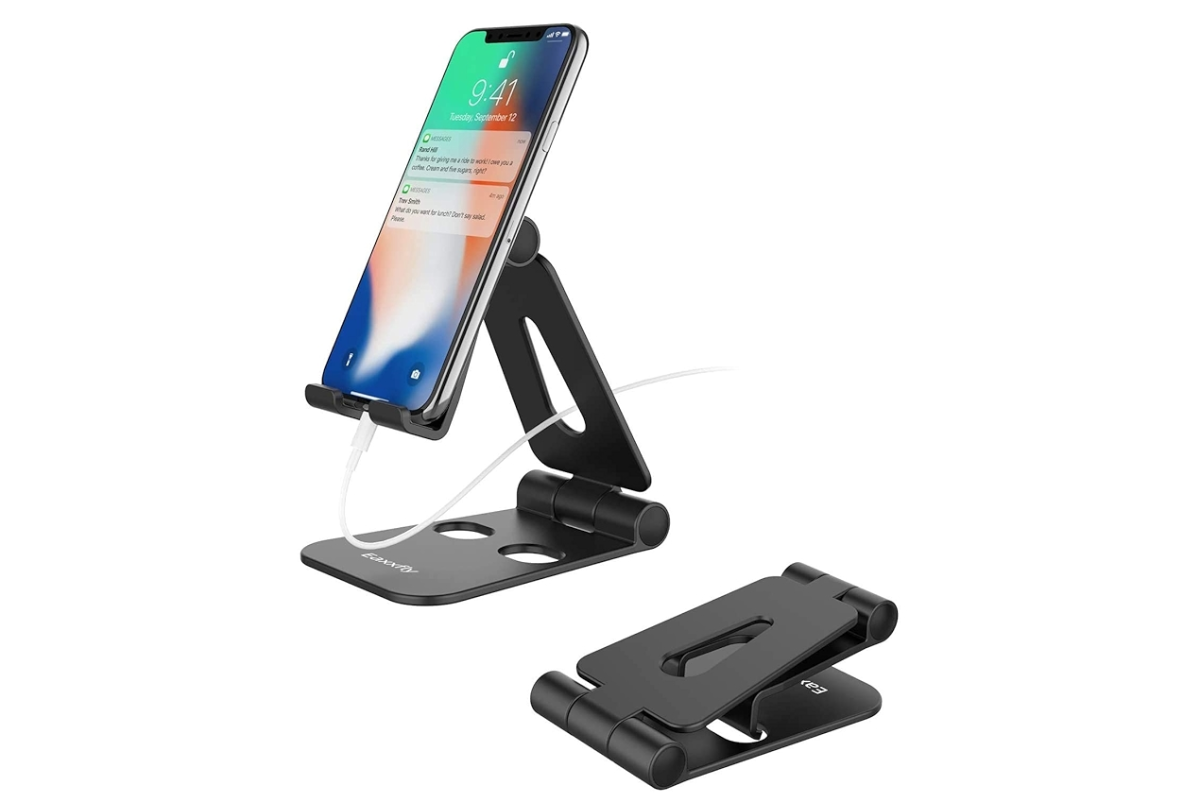
7. Mobile Stands for Desk
If you spend hours on online classes or meetings, holding your mobile is not comfortable. A desk mobile stand keeps your phone at eye level.
Best Features:
-
Adjustable height and angle
-
Non-slip base
-
Compact design for desk use
Why You Need It:
It prevents neck pain, improves posture, and gives a professional setup.
8. Bluetooth Speakers
Sometimes headphones feel uncomfortable for long hours. A Bluetooth speaker is a good alternative for group study sessions or team discussions.
Best Features:
-
High-quality sound
-
Portable and wireless
-
Long battery backup
Why You Need It:
Great for group calls, listening to recorded lectures, or casual breaks with music.
9. Mobile Screen Protectors & Covers
Accidents happen! A cracked screen or damaged phone can disturb your online work. Using a tempered glass screen protector and strong back cover is essential.
Best Features:
-
Anti-scratch and anti-shock
-
Slim yet durable design
-
Stylish look
Why You Need It:
It ensures safety of your phone while maintaining a professional look.
10. Mobile Cleaning Kit
A clean phone means better visibility and hygiene. Especially in online classes and office work, fingerprints on screen look unprofessional.
Best Features:
-
Screen cleaning solution
-
Microfiber cloth
-
Easy to carry spray bottles
Why You Need It:
Keeps your device fresh, shiny, and professional for online meetings.
11. Stylus Pen for Mobile
If you take notes or design presentations, a stylus pen helps in writing smoothly on mobile.
Best Features:
-
Precision touch
-
Easy grip
-
Works on both tablets & mobiles
Why You Need It:
Best for students writing notes and professionals creating diagrams or signing documents.
12. Noise Cancelling Microphones
For teachers, presenters, and professionals, a dedicated microphone provides superior sound quality compared to mobile’s built-in mic.
Best Features:
-
Clear voice pickup
-
Reduces background noise
-
Easy USB or Type-C plug-in
Why You Need It:
If you frequently record lectures or attend office webinars, this accessory is a must.
13. USB Hubs & Docking Stations
Sometimes one port is not enough. A USB hub or docking station helps connect multiple devices like keyboard, mouse, pen drive, and charger at the same time.
Best Features:
-
Multiple USB & Type-C slots
-
Fast data transfer
-
Compact design
Why You Need It:
It improves multitasking for students and professionals using mobile as primary device.
Conclusion
In 2025, online classes and remote office work are part of our lifestyle. Having the right mobile accessories can boost productivity, comfort, and professionalism. From wireless headphones to ring lights, power banks, and wireless keyboards, these tools make digital learning and working smoother.
If you are a student or a working professional, start investing in these accessories today. They are affordable, portable, and essential for success in the digital era.
